Built for Three Kids, Not a Startup Valuation
Ariana was not built for a venture pitch deck. It was built for one family's three homeschooled siblings studying the Cambridge Primary curriculum in Malaysia:
- Ariana Sofia (Stage 5): Primary Mathematics (fractions, decimals, long division, 2D/3D geometry).
- Aryan Zayn (Stage 3): Primary Science (forces, plants, human body systems, electricity).
- Aaira Nadia (Stage 2): Primary English & Phonics (vowel blends, grammar fundamentals, reading comprehension).
The family owned the official Cambridge Primary Learner's Books and Workbooks. The core challenge: leaving an 8-year-old child to stare at a dense printed textbook alone leads to distraction and disengagement.
The first prototype was typical AI slop: an automated script that scraped the textbook chapter name, generated a bullet-point summary, embedded a random YouTube video, and outputted a multiple-choice quiz. The parents rejected it immediately: "How does this teach? My child still has to figure it out alone. There is no teacher guiding the page." That feedback defined the entire project philosophy.
The Physical-to-Digital Vision Pipeline
Generic AI education apps invent problems from scratch. This causes disastrous pedagogical errors: children are tested on vocabulary or notations that conflict with their Cambridge curriculum.
I engineered an offline multimodal extraction pipeline:
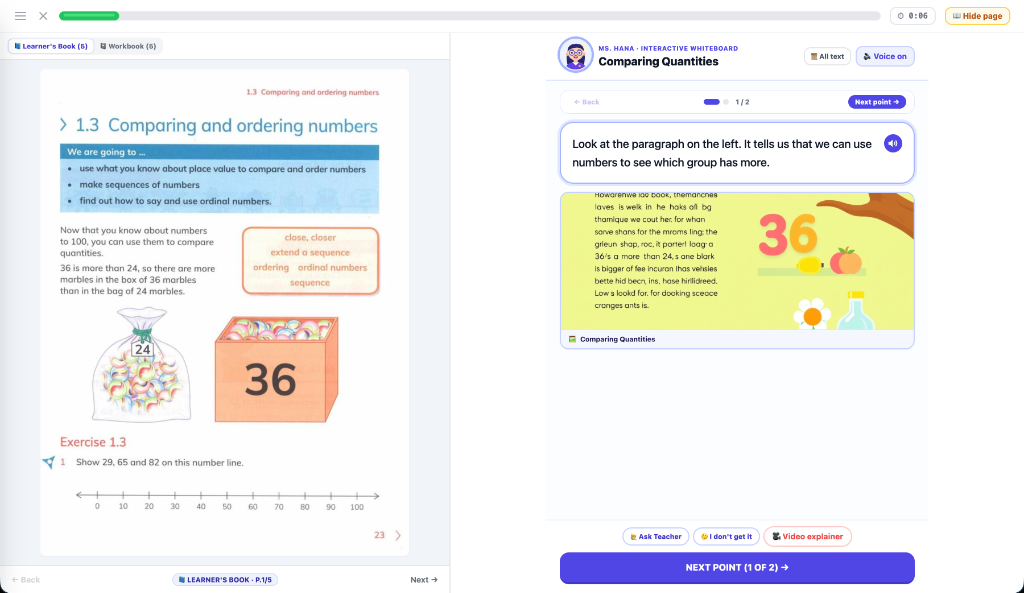
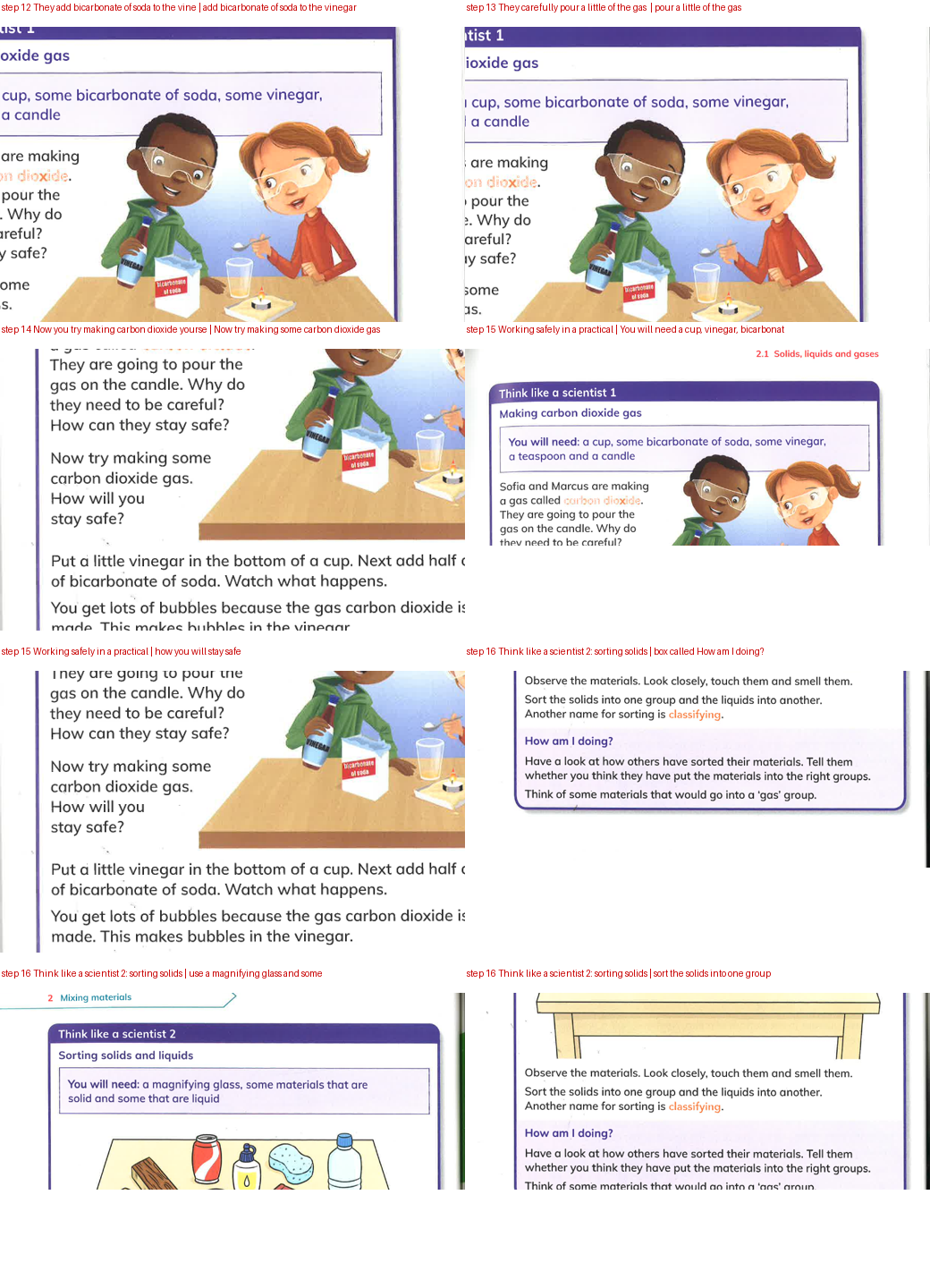
- Exact Page Grounding: Real physical textbook pages are scanned and processed through a multimodal vision model. The pipeline isolates individual illustrations, worked examples, and exercise prompts with exact bounding-box coordinates.
- Zero Hallucination Quizzes: Practice exercises are extracted word-for-word from the official Cambridge Workbook. If the physical book asks the child to measure an angle or complete a number sentence, the app reproduces the exact question.
- Human-in-the-Loop Spot Checks: Every generated lesson is audited and verified against the physical textbook before being deployed to the children's daily learning schedule.
The 7-Step Socratic Lesson Loop
Instead of dumping information on a screen, every lesson follows an empathetic seven-step progression that mirrors a patient private tutor:
- 1. Warm-Up Recall: Starts with an easy, confidence-building recall question (using tap-friendly multiple choice for younger motor skills).
- 2. Page-by-Page Instruction: The real textbook page is presented directly beside the explanation so the child connects digital text with physical print.
- 3. Textbook Worked Example: Walking through the author's official method step-by-step.
- 4. "Try One with Me" (Guided Practice): The child solves a parallel problem. If they make a mistake, the AI tutor does not reveal the answer; it highlights the exact conceptual slip (e.g. "You forgot to regroup the tens digit") and provides a targeted hint.
- 5. "Explain Differently" Branching: Children can tap "I don't understand" at any time. The tutor is instructed to discard the previous phrasing and explain the concept using a real-world physical metaphor (e.g., cutting a pizza or sharing marbles).
- 6. Cambridge Workbook Quiz: The real exercises from the workbook, scored without answer reveals until completion.
- 7. Misconception Review: A post-quiz breakdown showing the child exactly how to solve missed problems.
Cognitive Ergonomics for Young Learners
Software designed for young children requires radically different design decisions than adult productivity tools:
- Shared Family Device Login: The kids share a single household tablet. Rather than complex passwords or emails, the startup screen displays their avatars and names. Tapping their picture opens their personalized schedule immediately.
- Pacing Safeguards: Children cannot binge an entire term in one sitting or skip ahead when bored. Lessons follow the family's weekday timetable, skipping school holidays and rotating subjects daily.
- Motor-Skill Considerations: Typing long answers on a mobile keyboard is often the bottleneck for a 7-year-old, not the conceptual math. Inputs favor large touch targets, number pads, and drag-and-drop matching.
Zero-Cost Cloudflare Edge Infrastructure
Homeschooling is a long journey spanning years. The platform was deliberately designed to have zero ongoing monthly subscription or API costs:
- Edge Delivery: Deployed on Cloudflare Pages and Workers for instant sub-100ms global response times with generous free tier allowances.
- R2 Textbook Asset Pipeline: High-resolution textbook illustrations and audio assets are stored in Cloudflare R2, benefiting from zero egress fees.
- Free-Tier Multimodal Inference: Generative AI calls are routed through Google Gemini API's developer tier, allowing daily automated tutoring without accumulating thousands in cloud bills.
Lessons from Building Generative AI for Children
- Generative AI needs pedagogical boundaries: Without grounding in real physical curriculum books, language models hallucinate terminology, confuse difficulty levels, and frustrate young learners.
- Socratic hints beat instant answers: A child learns nothing when an AI simply answers the question for them. Restraining the model to give targeted hints is 10x harder to design, but 100x more valuable for learning.
- Designing for your own family is the ultimate quality bar: When the users of your software are your own children sitting at the dining room table, you cannot ship sloppy UX or ignore edge cases.